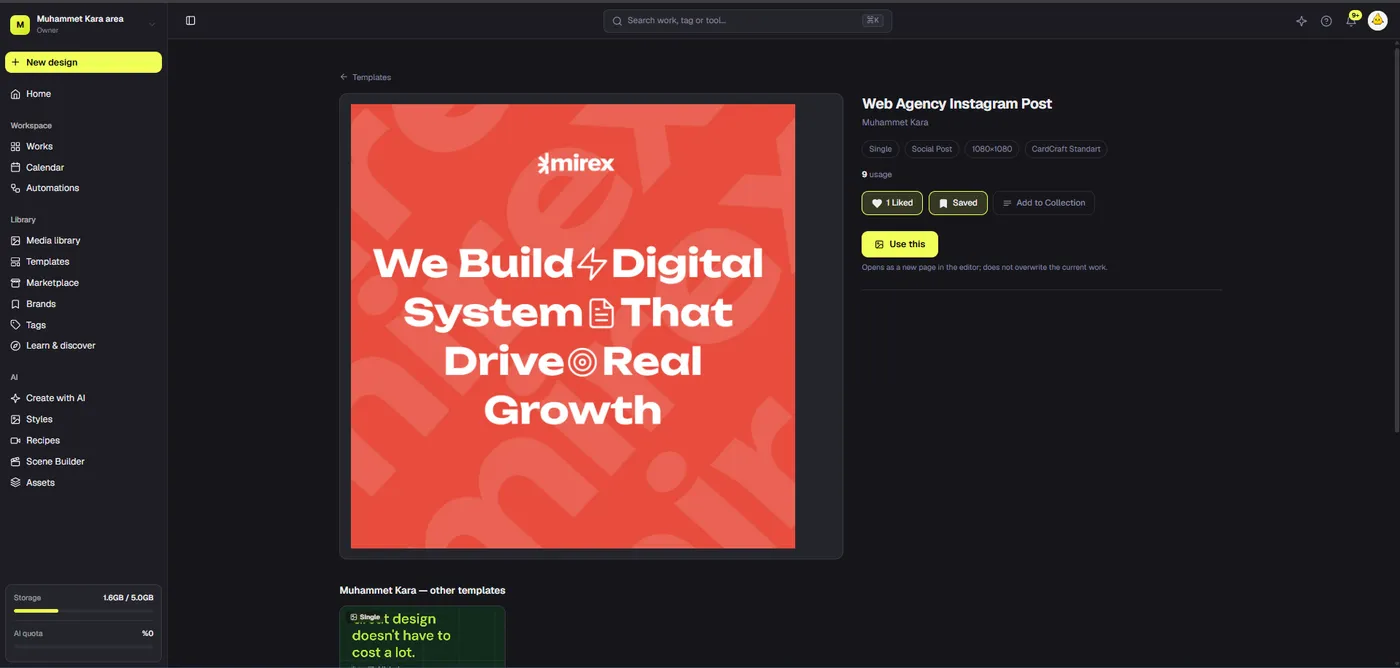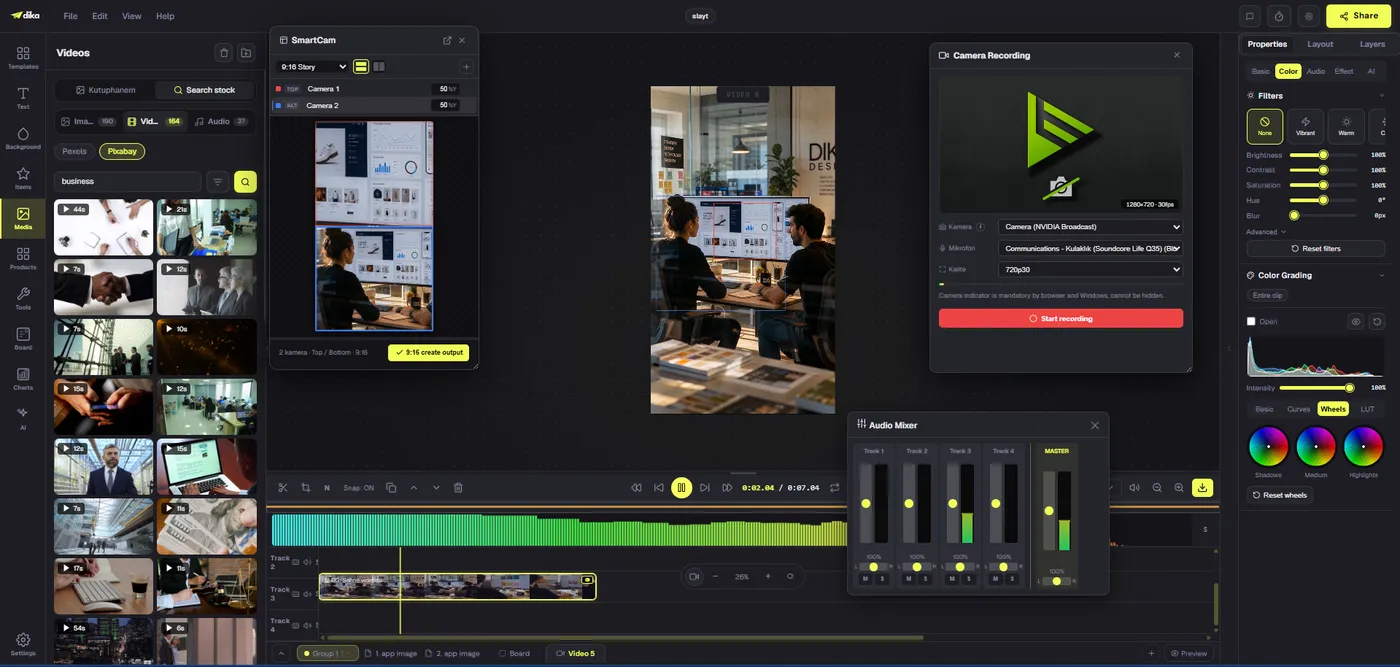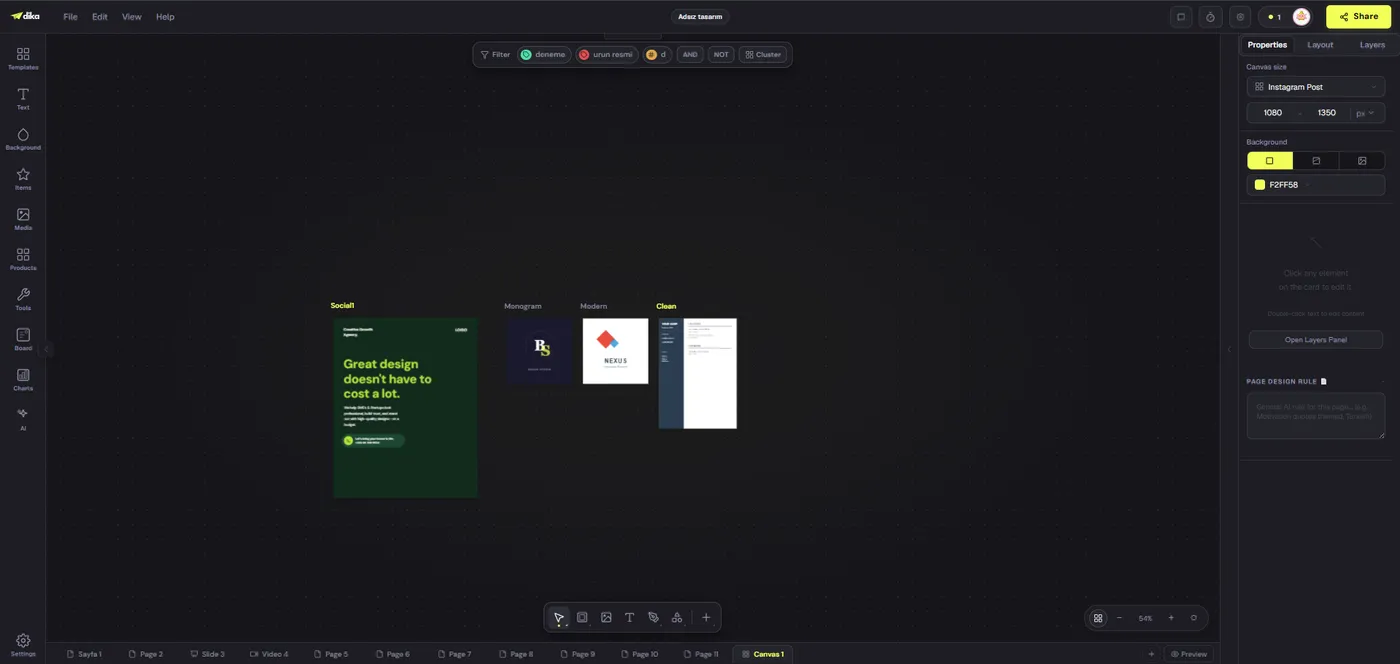
An automated social media manager should do more than generate captions or fill a calendar. It should carry a campaign from its original brief through brand-aware creative, channel-specific versions, review, and a reliable publishing handoff. The goal is not to remove people from creative work. It is to reduce repetitive coordination while keeping human judgment in the places where it matters.
That distinction matters when evaluating Dika Design and Dika Studio. The Dika Studio page presents a production workspace for briefs, brand kits, reference media, and editable campaign assets. Dika’s published documentation describes automation workflows that can run on schedules, generate copy, apply conditions, and send notifications. But the product roadmap currently lists scheduled social posts as planned, not shipped. This article maps the workflow such a system needs, separates documented capabilities from source-observed architecture, and treats platform approval as a separate release gate.
What an automated social media manager actually manages
A social media manager coordinates a chain of decisions, not just a sequence of text-generation prompts. Someone defines the objective, chooses the audience, decides what the audience should understand or do, creates appropriate visuals and copy, checks each version, gets approval, and publishes to the correct account at the right time. Each handoff can introduce errors: a stale link, an unapproved claim, the wrong account, an outdated image, or a post that misses its launch window.
Automation can make those handoffs visible and repeatable. It can carry approved facts forward, request missing information, prepare variants, validate limits, and notify the right reviewer. It can also preserve a record of what ran and which version was approved. It should not be treated as an authority on brand strategy, legal claims, or whether a post is appropriate to publish. Those decisions need explicit owners and policies.
The useful question is not “Can AI write a post?” It is “Can a team reliably move approved campaign material from brief to publication without losing context?” That question changes how we design the workflow. It makes the brief, source assets, account connection, review state, scheduled time, and delivery result part of one traceable process.
Start with a brief that contains decisions
A brief in Dika’s production process gives automation something concrete to preserve. “Write a post about our new product” leaves the system to guess the audience, product benefit, campaign objective, desired action, and tone. A more useful brief identifies the campaign goal, audience, key message, proof points, call to action, destination URL, channel, format, timing, and constraints. It also states what must not change, such as product specifications, approved claims, pricing, legal language, or embargo dates.
The brief does not need to become a long form that people avoid completing. A compact set of structured fields can be enough to make important information inspectable. For example, a launch brief might name the product, target audience, one core benefit, two supporting facts, the approved landing page, the launch date, the requested social formats, and the person responsible for review. If a field is not relevant, the team can mark it as not applicable rather than leaving the workflow to guess.
Structured context also creates useful validation rules. If an announcement needs a destination URL and none is provided, the workflow can stop and request it. If the request asks for a video but supplies no video asset or production direction, it can route the campaign back for clarification. If a brief contains a restricted claim, it can require an appropriate reviewer. These checks are more dependable than asking a language model to infer what the campaign owner meant.
Keep a distinction between durable brand context and campaign-specific direction. A brand kit describes identity and voice over time. The brief explains why this campaign exists and what it needs to accomplish. Dika’s brand and workspace documentation describes fields such as tone, archetype, key messaging, words to use or avoid, colors, typography, and brand assets. Those fields can inform creation, but they do not replace the campaign’s audience, offer, or approved facts.
Turn one brief into a campaign plan
Before generating individual deliverables, turn the brief into a small campaign plan that a person can inspect. It might define one core message, a few supporting points, the role of each post, the formats required, and the intended channels. One version could introduce the campaign, another could answer a common question, and a third could make the offer and next step clear. This creates purposeful variety instead of producing several captions that all say the same thing.
The plan also gives the workflow a way to identify missing inputs before creative work begins. Does the campaign have a final destination page? Are launch dates and embargoes clear? Is the product name consistent? Has the team supplied a source image that can be used in each requested format? Does a particular audience or channel require different wording? Answering these questions up front reduces late edits and avoids unnecessary generation steps.
A manager can then associate every version with the same campaign context while giving each its own text, media, platform, account, and review state. If an Instagram caption changes, that change should not silently overwrite the LinkedIn version. If a visual is rejected on one channel, the team should be able to replace that asset without losing the approved copy and timing of other versions.
Use brand context to guide specific choices
Brand context works best when it influences concrete decisions. A voice guide can shape sentence length, vocabulary, and how directly a post addresses its reader. Key messaging can provide approved differentiators. A list of words to avoid can prevent familiar but off-brand phrases from creeping into every campaign. Palette, typography, logo, and reference images can help keep visuals consistent across a set of assets.
Good automation still needs a boundary between facts and generated language. It can suggest a hook, create alternate calls to action, shorten a caption, or adapt a message for a different audience. It should not invent a product result, warranty, price, customer quote, or performance claim. A useful system keeps source facts available, asks the model to work within them, and flags unsupported statements for review instead of silently treating them as true.
Brand voice should not force identical copy everywhere. “Use direct, friendly language; avoid inflated promises; make the next step clear” gives a writer useful direction. The brief sets the campaign intent, the brand context sets the voice range, and each platform sets its own constraints. The result should be a channel-specific draft that respects all three.
Make each platform version fit
In Dika’s creative workflow, one design reused across networks is efficient only when the creative is adapted. Aspect ratio, safe areas, media requirements, text limits, and audience expectations vary. Dika’s social-post tutorial documents creating a base design, duplicating it, resizing copies, and adjusting layouts. It notes that changing a canvas size does not automatically rearrange every element. A resized graphic therefore still needs a visual review before export or publication.
Copy needs similar attention. A short post that works on one network may need more context elsewhere. A carousel needs an opening slide that makes sense when someone sees it on its own. A video caption should match the spoken content and the closing frame. If a workflow knows the target network’s current limits, it can flag a caption that is too long or a media file that does not fit before the reviewer sees it as final.
Design systems can make adaptation faster without pretending every format is interchangeable. A team might establish a square base, a vertical story variation, and a landscape option, then adjust spacing, hierarchy, and text placement on each copy. The original remains intact while the team prepares alternatives. That is a useful production workflow today, whether the final post is published manually or through a future integration.
Use workflow automation to move work
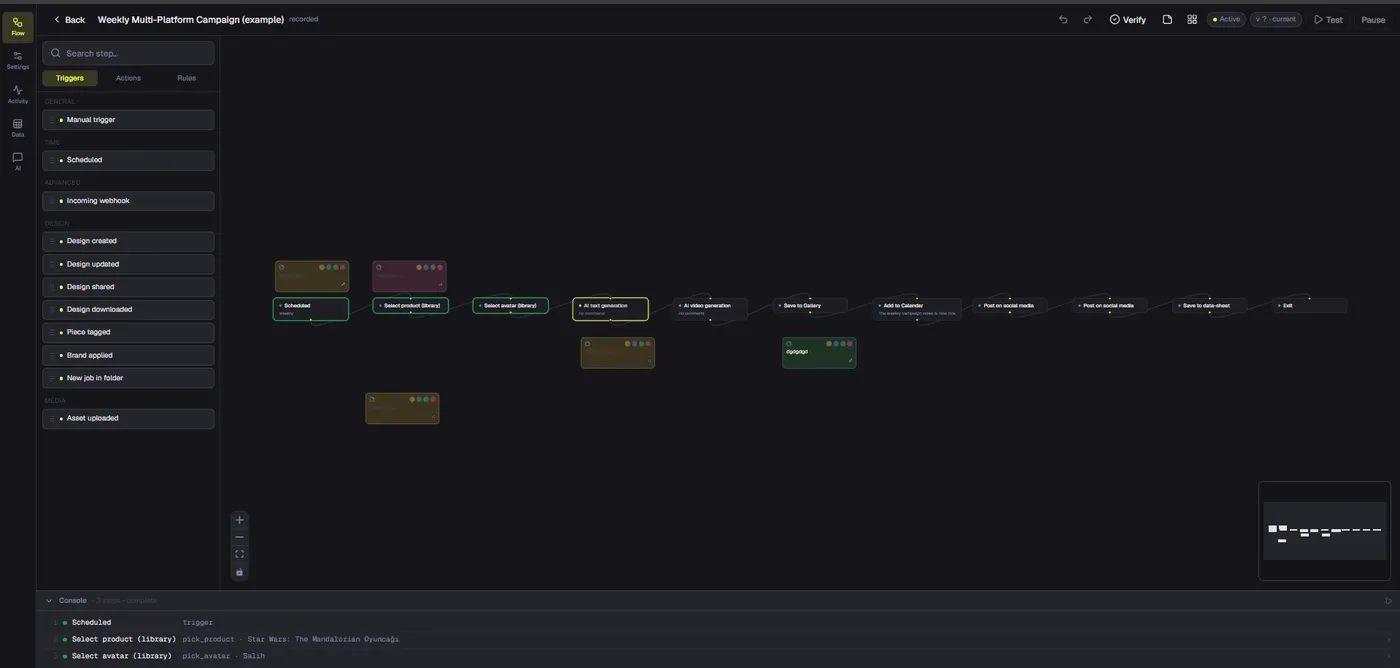
Dika’s public Automations documentation describes a graph made from one trigger connected to actions, AI steps, and logic. The documented node catalog includes scheduled triggers, Generate copy, conditions, filters, delays, notifications, and calendar activity. The docs also distinguish between actions that run and catalog entries whose executors are not yet connected. That distinction is important: workflow records should report what actually happened, including when a step was skipped.
Dika Design teams can start preparation at a chosen cadence with a scheduled workflow. It could draft a batch of ideas, format a review message, or remind the team to check a campaign before launch. The trigger documentation describes interval, daily, weekly, and cron schedules, including an IANA timezone such as Europe/Istanbul. A team can test a graph, inspect its run, then activate a published version once the result is right.
Those capabilities make a workflow useful without making it a social publisher. The automation graph can prepare work, apply conditions, and notify a reviewer. It cannot be assumed to send a post to an external network merely because the graph has a time trigger or a calendar action. A workflow schedule and a social publishing schedule represent different jobs and need different data and status tracking.
AI steps also have dependencies. Dika’s automation docs say Generate copy runs with a connected AI provider key and logs a skipped step if no key is available. The documented image-generation node requires a compatible provider key; the video-generation node is listed as skipped rather than connected to a provider. Therefore, an end-to-end campaign process should not imply that every visual or video can already be generated, scheduled, and published by one automated graph.
Keep review explicit and versioned
Review should be an actual workflow state, not a comment buried in chat. A reviewer needs to see the campaign brief, final copy, visual asset, target account, proposed time, and platform-specific options together. Approval should apply to a specific version of a deliverable. If someone changes the copy, image, destination, or publishing options afterward, that change should be visible and may need a new approval.
Not every post needs the same path. A low-risk update using a pre-approved template could move through a lightweight review. A product launch, public statement, offer, or regulated claim may require a named approver before publication. A workflow can route work based on campaign type or risk category, but the underlying policy must be defined by the team. Automation should enforce a decision, not invent one.
The source-observed social architecture describes an “awaiting review” state that is distinct from states eligible for publishing. It also describes recording a review notification before an item can be promoted automatically after a deadline. This is a useful safety pattern: if a policy allows automatic promotion after a deadline, the system should verify that the intended reviewer was actually notified. The public product documentation does not establish this social review queue as a shipped user feature.
A workflow schedule is not a post schedule
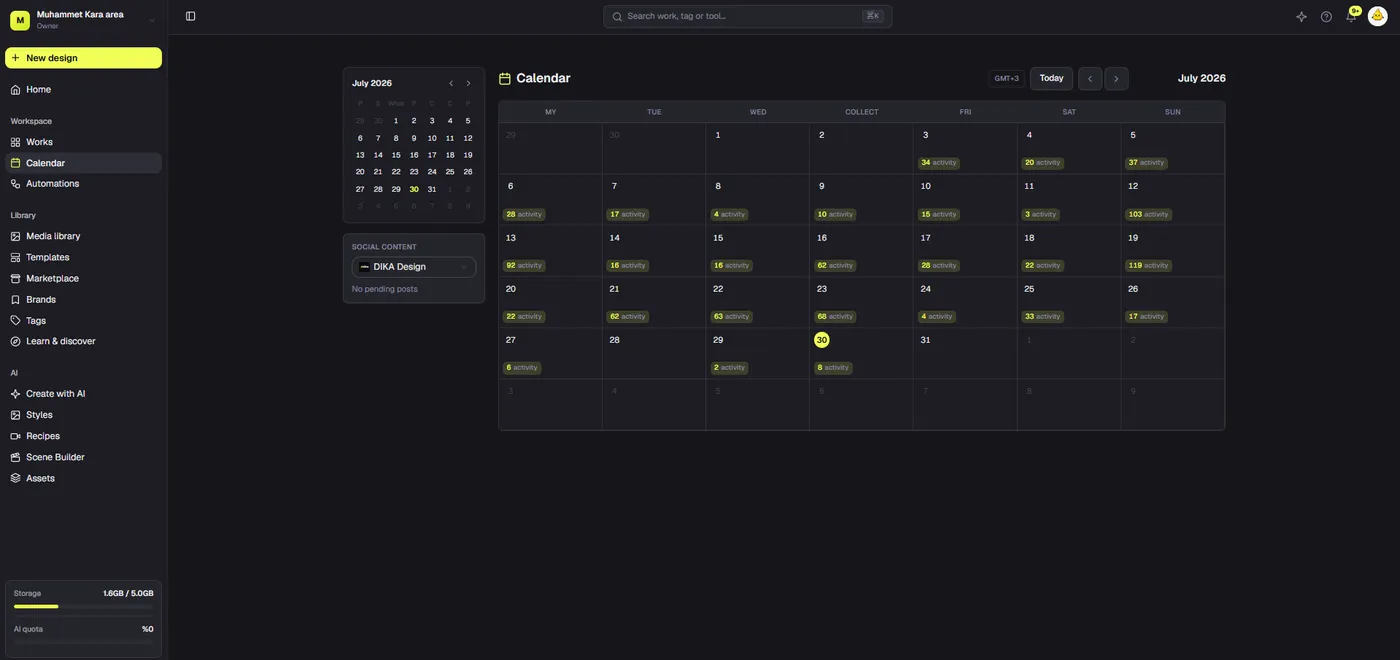
A workflow schedule answers: “When should this graph begin?” A social publishing schedule answers: “Which approved content should this connected account publish, and at what time?” The second question needs a durable post record, a target account, a timezone-aware publish time, approved copy and media, platform options, and a delivery state. A calendar event or a cron trigger alone does not provide those things.
Dika’s public roadmap currently places scheduled posts under planned features and says to plan timing manually, then publish outside the app for now. This is the clearest public release-status source. It means a draft should not promise that a user can schedule a social post through Dika today, even though workflow scheduling exists and a separate architecture snapshot describes social publishing components.
This is not a minor wording difference. Readers may make operational decisions based on a claim that posts will publish while they are away. A scheduled trigger that starts a workflow at 9:00 does not prove that a post will be sent to Instagram, LinkedIn, or any other network at 9:00. To make that promise accurately, the product must expose the publishing flow, validate the account connection, preserve the approved content, and report the result from the receiving platform.
Separate architecture from release status
An internal architecture snapshot dated September 13, 2026 describes a social publishing system with brand-scoped connections, encrypted tokens, platform-specific adapters, review states, durable post records, and a scheduled publishing worker. Its platform registry names LinkedIn, Facebook, Instagram, X, and TikTok. The snapshot also describes storing asset references, publish attempts, and remote post identifiers. These are meaningful implementation details, but they do not prove that every component is deployed, enabled, exposed in the user interface, or approved by each provider.
The public roadmap and the internal architecture answer different questions. Architecture evidence can describe how a system is designed or what source code contains. Published product docs communicate what a user can rely on today. For release claims, use the public roadmap’s stated status until current product documentation confirms that scheduling has shipped. For provider claims, verify the actual credentials, access scopes, account eligibility, and deployment configuration before saying a network is available.
The comparison below keeps those distinctions visible. “Source-observed” means present in the inspected architecture snapshot, not confirmed as a public production capability. Platform approvals are independent gates, and a workflow graph cannot grant them.
| Area | What current sources support | What remains a separate gate |
|---|---|---|
| Social creative | Public docs describe designing, duplicating, resizing, and exporting social-post assets. | Each resized version needs its own visual check. Exporting a design is not publishing it. |
| Workflow automation | Public docs describe triggers, AI copy, logic, notifications, testing, and run history. | A scheduled workflow starts a graph; it does not establish a scheduled network post. |
| Social publishing architecture | The September source snapshot describes five provider adapters, brand-scoped connections, review states, scheduled records, and publishing attempts. | Source presence does not confirm rollout, account access, or public availability. |
| Scheduled social posts | The public roadmap lists this capability as planned. | Do not describe it as shipped until current release documentation says otherwise. |
| Platform access | Provider APIs support specific account types, scopes, and content operations. | App approval, audit, account permissions, product policy, and deployment configuration must be checked per platform. |
Platform approval is its own rollout track
Social integrations depend on provider rules that can change independently of Dika. LinkedIn distinguishes member posting from organization posting, and organization actions depend on access rules and eligible page roles. Its Posts API documentation lists permissions and role restrictions. A connection flow can succeed while a particular company-page operation remains unavailable to that app or member.
The source architecture models Facebook publishing for Pages, not personal profiles. That implementation detail should be confirmed against the actual provider app and current permissions before public rollout. Instagram publishing is also account-sensitive: Meta’s Instagram API documentation describes publishing for professional accounts. The source registry targets professional accounts and publishing scopes, but the precise app, permission, and review path depends on the connection mode being released.
TikTok makes the audit boundary especially clear. Its Content Posting API setup guide says posts from unaudited clients are restricted to private viewing, and the client must pass an audit to lift that restriction. Code that can submit a request is not the same as permission to publish publicly. A product should label this difference directly rather than treating a successful test upload as evidence of public access.
X also requires an operational decision, not only a technical integration. The source architecture includes an explicit cost guard, and the X Developer Platform describes usage-based API billing. Before enabling a route, a team needs to understand how usage is charged, decide who bears the cost, and set reasonable limits. Pricing and provider policies can change, so a fixed claim about cost should be checked again before publication.
For a managed app, provider approval belongs to the platform and app configuration, not to the customer’s workflow. For a bring-your-own-app path, customers may supply their own developer credentials, but they still need a supported account type, valid scopes, and the required approval for the operation they want. In either case, successful OAuth does not guarantee that every media format or post type is allowed.
Design publishing for safe failure
Publishing creates an external side effect. A platform may clearly accept a post, clearly reject it, time out before processing, or accept the post while the response never reaches the application. These outcomes need different handling. Retrying a clear, correctable validation failure may be reasonable. Retrying a timeout without checking the destination can create a duplicate if the first request succeeded.
The architecture snapshot describes a worker that claims due posts before publishing and records each attempt. It also describes conservative retry behavior: ordinary failures can retry up to a configured limit, while an unknown provider outcome is not automatically retried. That is safer than optimizing for the appearance of uninterrupted automation. If delivery is uncertain, show the post as needing reconciliation, preserve the attempt information, and let a person check the destination before sending it again.
Scheduled creative should be stable after approval. The source snapshot describes durable asset references so that editing an original design does not silently replace the asset attached to a queued post. A user can deliberately update the scheduled version and send that change through review. The scheduler should not interpret every later edit to the source project as permission to publish new material.
A pause control is equally important. If an account connection expires, the platform changes a rule, or a campaign is withdrawn, the team should be able to stop new posts without deleting history. The automation docs already describe testing, activation, pause, run history, and per-step logs for workflows. A released publishing feature should provide equivalent clarity at the post level, including the scheduled time, review events, attempts, provider response, and any remote post identifier.
Measure quality and operational reliability
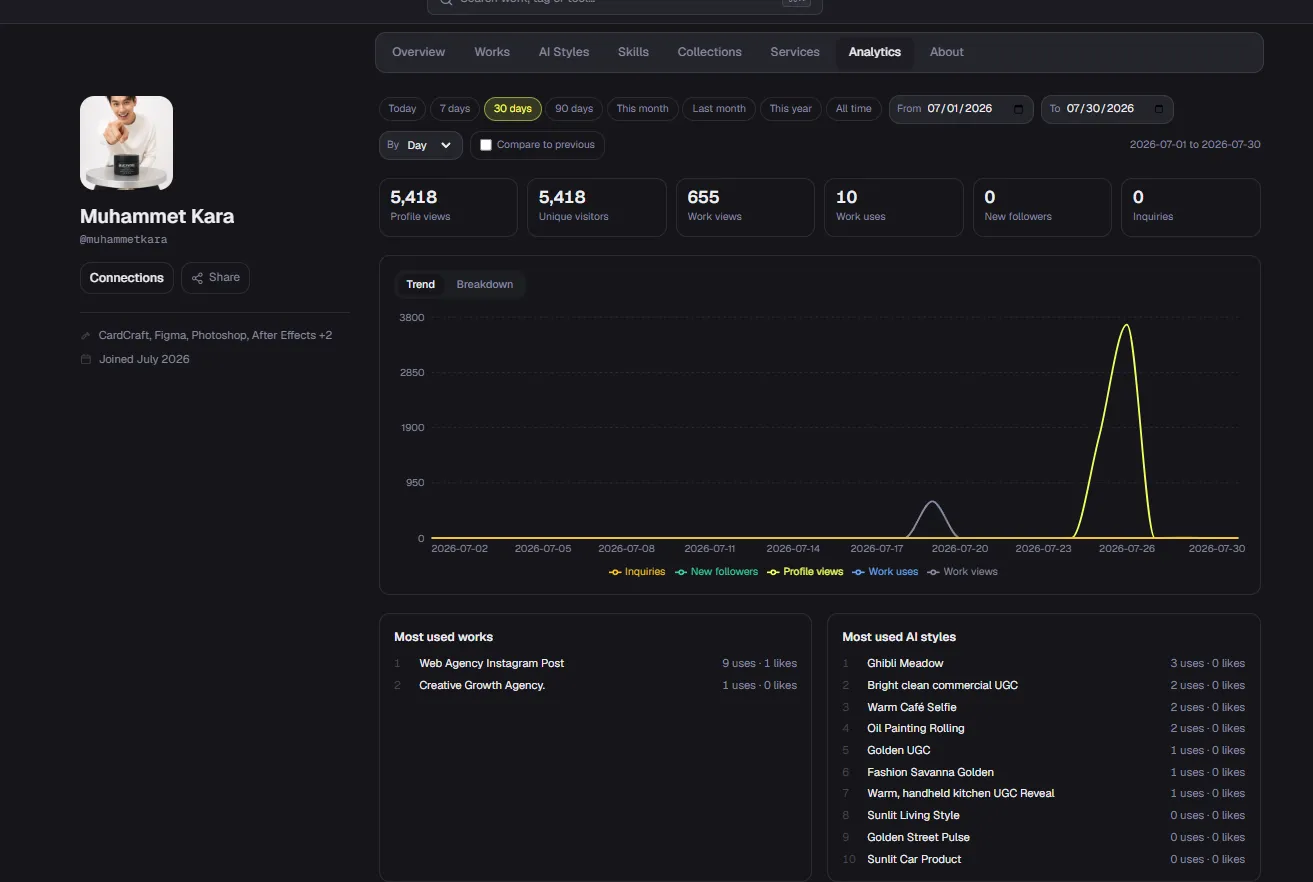
A useful manager should report more than the number of drafts it produced. Teams need to know how long work takes to move from brief to approval, where reviews stall, which steps are skipped, how often copy needs revision, and how many publishing attempts fail or need manual reconciliation. Those measures help distinguish real time savings from work that has merely moved into a less visible queue.
Quality measures matter too. Did each version preserve the core message? Did it use the right asset and destination account? Did the caption fit the requested format? Did the reviewer make substantial changes? A high revision rate may reveal a weak brief, missing source facts, unclear brand guidance, or a mismatch between the requested output and the model. Feedback is useful only if the team treats it as evidence to improve the workflow rather than as a score to optimize blindly.
Run logs and post logs answer different questions. An automation activity view can show whether a graph ran and which node succeeded, failed, or was skipped. A publishing record needs to show whether a post was approved, queued, attempted, accepted, rejected, or left uncertain by a timeout. Without both levels, an organization may know its workflow completed while still not knowing whether its audience saw the post.
What teams can use now
Dika’s public docs describe building and testing automations, scheduling workflow triggers, generating copy with a connected AI provider key, applying conditions and filters, and reviewing run history. They also document designing social-post assets, duplicating and resizing them, then exporting the results. These capabilities can support creative production and campaign coordination even when publishing happens outside Dika.
The public roadmap remains the release-status authority for scheduled posts: it lists the feature as planned and recommends planning timing manually, then publishing externally. The source-observed architecture describes a broader integration design, but does not confirm user-facing availability. No live account connections, provider quotas, or platform approval states were inspected for this article. Teams should verify those independently before relying on a publishing workflow.
This distinction lets teams plan without overpromising. They can use existing design and automation features, keep campaign materials organized, and build a review process around the tools already documented. They can also prepare platform credentials and approval requests where appropriate. But they should not tell users that social posts will be automatically scheduled and published until the product documentation and rollout status confirm that capability.
A practical path from brief to post
When planning with Dika Design, start with one campaign and a narrow objective. Complete the brief, attach source facts and creative assets, and decide who reviews the final versions. Use a workflow to prepare copy or notify the reviewer only where the documented nodes meet the need. Test the graph, inspect its activity, and keep a human in the loop for any claim or creative that needs judgment. For actual network publishing, use the current approved method outside Dika until in-product scheduled posts are released.
When social scheduling becomes publicly available, pilot one platform and one account class at a time. Verify the correct OAuth app, requested scope, account type, media transfer, caption limits, timezone behavior, cancellation, token refresh, and failure reporting. Test the real review policy, including what happens when a reviewer does not respond. Confirm that the approved asset remains fixed after a source design changes. Expand only after the provider’s approval and the product’s operational controls are in place.
Finally, make the handoff understandable to the people doing the work. Show whether a piece is a draft, awaiting review, ready, queued, or published. Make the scheduled time and timezone visible. Explain why an item stopped or failed. Preserve the content version and attempt history. A well-designed automated social media manager should reduce uncertainty, not make publishing feel like a black box.
The end-to-end direction is straightforward: translate a creative brief into platform-ready content, retain the brand and campaign context, route the right versions for review, schedule only when the product and provider gates are open, then record what happened. Today, Dika’s public documentation supports parts of the creative and workflow stages. Scheduled social publishing remains a separate planned feature. Keeping that boundary visible is part of building trust in the automation itself.
Frequently asked questions
1. What is an automated social media manager?
It coordinates campaign inputs, content creation, review, and publishing steps. Its exact capabilities depend on released product features and provider access.
2. Can Dika Automations schedule social posts today?
No. Dika’s public roadmap lists scheduled posts as planned. An automation schedule starts a workflow; it is not a social publishing schedule.
3. Can an automation generate social captions?
The documented Generate copy node can draft text when a compatible AI provider key is connected. A person should check generated copy for accuracy and brand fit.
4. Can Dika resize a social design for different platforms?
Dika documents duplicating and resizing designs for different formats. Resizing does not automatically rearrange every design element, so each version needs visual review.
5. Is the social review queue available to users?
The internal architecture snapshot describes review states and notification-before-promotion behavior. Public product docs do not confirm that queue as a shipped feature.
6. Which networks appear in the source architecture?
The September 13, 2026 snapshot lists LinkedIn, Facebook, Instagram, X, and TikTok. That list does not confirm production access or rollout for any network.
7. Why can’t every platform launch at once?
Platforms differ in account eligibility, permissions, app approvals, audits, media rules, and cost. Each integration needs its own rollout checks.
8. Why should a scheduled post keep an asset snapshot?
It prevents later edits to a source design from silently replacing the creative that was reviewed and queued.
9. Should a timed-out publishing request retry automatically?
Not if the platform may have accepted the post. The safer response is to preserve the attempt and reconcile delivery before retrying.
10. What should be checked before enabling a platform?
Verify provider approval, account type, scopes, media and caption constraints, cost exposure, review policy, token refresh, cancellation, and failure handling.