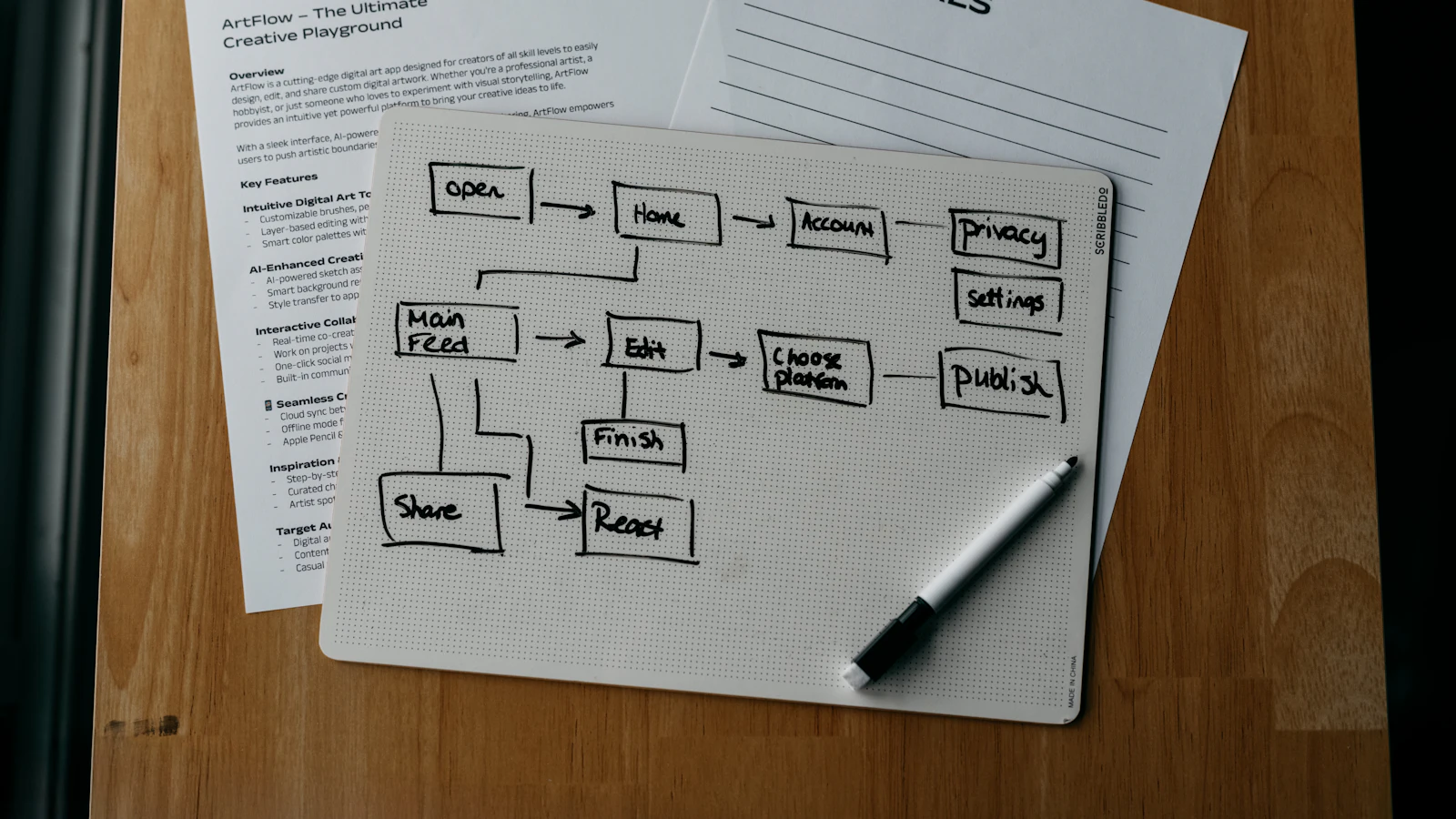
Business process automation means using software to carry out repetitive, rule-based steps that people currently do by hand: copying data between systems, sending reminders, routing approvals, creating documents. The aim is to remove delays and mistakes in routine work, while people keep the decisions that need judgement.
It is not a single product or a project with an end date. It is a habit of looking at how work actually moves through the company, finding the steps where information waits or gets retyped, and fixing those one at a time. This guide explains how to choose what to automate, how to design it safely, what it can cost and how to avoid the usual failures.
What counts as a process worth automating
A good candidate has four traits. It happens often, it follows rules that rarely change, it moves through several people or systems, and mistakes in it are costly or irritating. Examples are order entry, invoice approval, employee onboarding, stock reorder requests, customer onboarding and month-end reports.
A poor candidate is a process nobody understands, one that changes every month or one that depends on negotiation. Automating a bad process makes the problems happen faster. Fix the process first, then automate it.
Automation, integration and AI are different things
People use the terms loosely, so separate them.
- Integration connects two systems so data moves between them without retyping, for example an online order creating a sales order and a stock reservation.
- Workflow automation runs a defined sequence of steps with conditions and approvals, for example an expense claim routed to a manager and then to finance.
- AI assistance handles variable inputs such as reading a supplier email, drafting a reply or suggesting a classification. It needs a person to approve anything that matters.
Most value comes from the first two. Add AI where the input is unstructured and a person remains in the loop.
How to choose what to automate first
Score candidate processes against a few simple criteria. The table gives a starting framework you can fill in during a one-hour workshop with the people who do the work.
| Criterion | Good sign | Warning sign |
|---|---|---|
| Frequency | Daily or weekly, many instances | A few times a year |
| Rules | Clear if-then logic that can be written down | Depends on personal judgement or relationships |
| Data | Structured fields in known systems | Handwritten, scanned or scattered across inboxes |
| Pain | Delays, rework or errors people complain about | Nobody notices when it is slow |
| Stability | Process unchanged for months | Being redesigned or about to change |
| Risk | Mistakes are visible and recoverable | Mistakes cause financial or legal harm without review |
Map the process as it really runs
Before building anything, sit with the people who do the work and write down what actually happens, including workarounds. The documented procedure and the real one usually differ.
- Name the trigger: what starts the process (an order, an email, a date).
- List each step, who does it, what system they use and what information they need.
- Mark the waits: where does work sit in somebody's inbox?
- Mark the decisions: which steps need a person to judge, and what are the rules they apply?
- Note the exceptions and how often they occur. Exceptions decide how much of the process you can automate.
- Define the end state and who should be told when it is done.
Design for control, not just speed
Automation moves quickly, so errors also spread quickly. Build in the controls from the start. Every automated action should be logged with what happened, when and which rule triggered it. Money-related steps should have approval limits. The person who prepares a payment or journal should not be the one who approves it. Exceptions should go to a named person, not disappear.
Start in a supervised mode: the automation proposes and a person confirms, for the first weeks. When the confirmed results match expectations consistently, remove the confirmation for low-risk cases and keep it for high-value ones.
An example calculation of the payoff
Here is an illustration with stated assumptions. Suppose a team enters 300 customer orders a month from emails into the order system, taking 6 minutes each, which is 30 hours. At £22 an hour fully loaded, that is £660 a month. If an automation creates the order draft and a person reviews it in 1.5 minutes, the time falls to 7.5 hours, or £165. The saving is £495 a month, or £5,940 a year. If building and testing take 40 hours at £70, which is £2,800, plus a small monthly running cost, payback is under a year on these assumptions. Your own numbers will differ; the method of counting volume, minutes and rate is what matters.
Build it in small steps
Pick one process, automate the happy path, and let exceptions fall back to a person. Measure for a month. Then extend. A programme of ten automations delivered one by one beats one large project that touches everything at once.
Many businesses find that the best first targets sit between departments, because that is where information waits. Our examples in workflow automation examples show concrete patterns, and the guide to Shopify ERP integration shows how an online-order process is usually connected.
Where automation lives: your ERP, a workflow tool or custom code
Three routes exist. The first is the automation built into your business system, which is simplest when the process sits inside it. The second is a separate workflow tool that connects several systems. The third is custom development for logic that is specific to you or too sensitive to hand to a general tool.
We built Dika Ops so that sales, purchasing, stock, finance and HR run on one record, with automation and approvals working on that record instead of syncing between tools. AI coworkers work under strict permissions and ask a person to approve what matters. You can read about the automation module; Dika Ops is in closed beta and companies join a waitlist. Where a process crosses systems we do not control, our AI integration and automation service designs and builds the connection.
Why automation projects fail
They usually fail for ordinary reasons. The process was never mapped, so the automation encodes a procedure that nobody follows. Exceptions were ignored, so staff keep a parallel manual route. Nobody owns the automation after launch, so it breaks silently when a field name changes. Or the results were never measured, so nobody can say whether it worked. Name an owner, keep a log, review exceptions monthly and compare the time and error counts with the baseline you recorded before you started.
Frequently asked questions
What is business process automation?
It is the use of software to run repetitive, rule-based business steps automatically, such as routing approvals, creating documents and moving data between systems, so that people spend time on work that needs judgement. A typical example is an approval that reaches the right person without anyone forwarding an email.
Which processes should a small business automate first?
Start with frequent, stable processes that cause visible delays or errors: order entry, invoice approval, reminders for overdue payments and onboarding tasks. Check that the rules are clear before you build.
What is the difference between automation and RPA?
Robotic process automation mimics a person using a screen, which can be useful when a system has no usable connection. Workflow automation and integration work through proper data connections and are usually more reliable when available.
How much does process automation cost?
It depends on the number of systems, the complexity of the rules and whether you use built-in tools or custom development. Count the hours saved against build and running costs, as in the example above, rather than relying on general price claims.
Will automation replace my staff?
Automation takes over repetitive steps and leaves exceptions, judgement and relationships to people. In practice the same team usually handles more volume or spends time on higher-value work.
How do I keep automation safe?
Log every action, set approval limits, separate preparation from approval for financial steps, route exceptions to a named person and start in a supervised mode. Review the logs regularly.
How long does it take to automate a process?
A simple, well-understood workflow can be live within days or weeks, while cross-system processes with many exceptions take longer. Mapping and testing take as much time as building.
Next step
Pick one process that costs your team hours each week, map it with the people who do it, and calculate its volume and minutes per case. If you would like a second opinion on what to automate first, speak to our team.