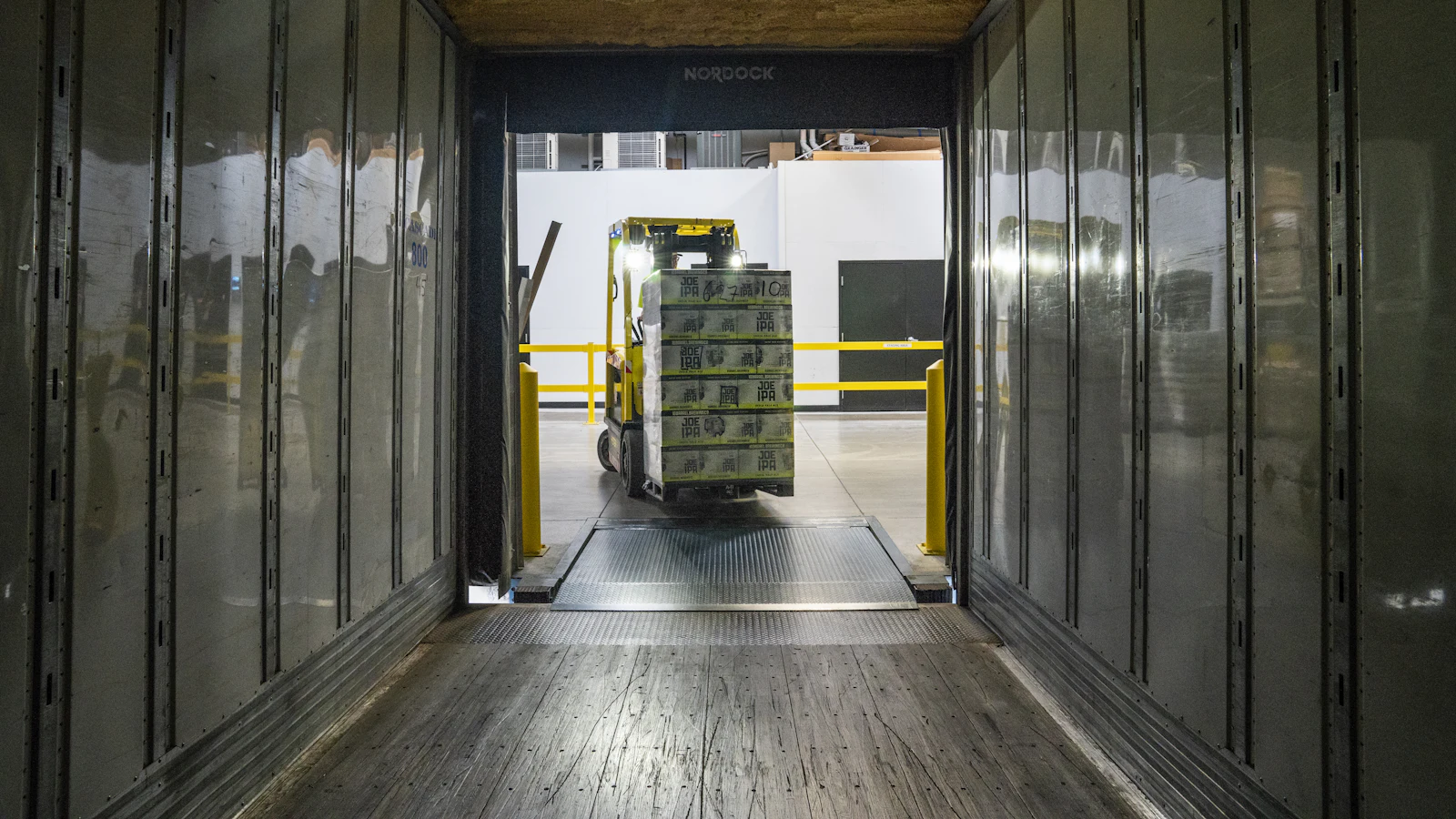
A warehouse management system, or WMS, is software that directs and records the physical work inside a warehouse: receiving goods, putting them away, picking orders, packing and dispatching, with stock tracked down to the bin. Where inventory software tells you how many you have, a WMS tells your people where to put things, where to find them and in what order to pick.
You need one when the cost of wasted walking, picking errors and lost stock exceeds the cost of running the system. For a small stockroom, shelf labels and a good inventory tool are often enough. This guide explains what a WMS does, how it fits with your other systems, the signs you have outgrown simpler tools and how to choose.
What a warehouse management system does
A WMS models the warehouse as zones, aisles, racks and bins, and then manages each task between a delivery arriving and a parcel leaving. Handheld scanners guide workers step by step, and every scan updates the record immediately.
The central benefit is control: the system knows what is where, what is reserved, what is waiting to be picked and what is blocked. This reduces searching, mispicks and the hidden stock that never gets sold.
Core WMS functions
- Receiving: check deliveries against purchase orders, record quantities, flag shortages and damage, and print labels.
- Putaway: suggest or enforce the right bin based on size, product type, velocity and rules.
- Storage and location control: bin-level stock, replenishment from bulk to pick faces, and slotting.
- Picking: single order, batch, zone or wave picking, with an optimised route.
- Packing and shipping: verification scans, packing lists, carrier labels and tracking.
- Returns: inspect, grade and route returned goods back to stock or to disposal.
- Counting: cycle counts by location with variance review.
- Reporting: accuracy, order cycle time, pick rate and capacity.
WMS compared with inventory software and ERP
| System | Main job | Level of detail |
|---|---|---|
| Inventory management software | Track quantities, orders and reorders | Product and site, sometimes bin |
| Warehouse management system | Direct and record physical warehouse tasks | Bin, pallet, task and worker |
| ERP | Run sales, purchasing, stock, finance and more on one record | Business-wide; warehouse depth varies |
| Transport management system | Plan and manage deliveries | Routes, carriers, loads |
Many ERPs include warehouse functions that cover simple operations, and some connect to a specialist WMS for complex ones. Our guide to inventory management software shows where the simpler tools end.
Signs you need a WMS
- Pickers spend a large share of the day walking and searching.
- Mispicks and returns for wrong items are a regular cost.
- Stock exists on the system but cannot be found on the floor.
- Peak seasons need temporary staff who take a long time to learn the layout.
- You hold stock in several buildings or zones with different rules.
- Customers or retailers require scan-verified shipping or traceability by lot or serial number.
If two or three apply, a WMS is worth evaluating. If none apply, improve your layout and labelling first; our guide to warehouse layout design covers it.
What it costs: the main drivers
Pricing depends heavily on the provider and changes often, so request current quotes. The cost drivers are consistent:
- Number of users, scanners and sites.
- Complexity of the process: wave picking, kitting, lot control and cross-docking.
- Integrations with your ERP, shop, carriers and label printers.
- Hardware: handheld scanners, label printers, and wireless coverage.
- Configuration, data migration and training.
- Ongoing subscription or support.
Worked example with assumptions: a warehouse has six pickers, each walking an extra 30 minutes a day because of unoptimised routes and searching. That is three hours a day, about 60 hours in a 20-day month. At £14 an hour of loaded cost, the waste is £840 a month, a useful benchmark against the cost of change.
How to choose a WMS
- Map your flows: inbound, storage, picking, packing, outbound and returns, with volumes.
- Define your must-haves, such as lot tracking, a particular carrier or pick method.
- Check integration: how orders arrive, how stock and shipment data return to your ERP or shop.
- Test usability on the floor with real staff and real scanners.
- Ask about implementation: who configures, what training exists and how go-live is supported.
- Confirm you can export your data.
- Plan for growth in orders and locations, but buy for the operation you actually have.
Implementation tips
Be realistic about timing. A WMS touches every worker and every order, so a rushed go-live in the middle of a peak season is the most common reason projects disappoint. Pick a quieter period, keep a fallback process for the first days and agree in advance who can make decisions when something unexpected happens on the floor.
Start with clean location and product data. Label every bin and rack clearly, count the stock to get a true opening position, and define unit conversions for pallets, cartons and eaches.
Run a pilot in one zone before full go-live, train supervisors first, and keep an experienced person watching exceptions for the first weeks. Review the pick rate and accuracy weekly against your starting baseline. Our stock count guide explains how to establish that opening balance.
Where Dika Ops fits
We built Dika Ops logistics and inventory on the same record as sales, purchasing and finance, so warehouse work connects to the order and the ledger. It is in closed beta with a waitlist. For operations with highly specific flows, our custom software team can build integrations or tools around your existing system; our homepage has the details.
Frequently asked questions
What is a warehouse management system?
It is software that manages the physical activities inside a warehouse, including receiving, putaway, picking, packing and dispatch, and tracks stock at bin level in real time. It tells staff what to pick and where to put goods away, and it records each step as it happens.
What is the difference between WMS and ERP?
An ERP runs the whole business: sales, purchasing, finance and stock. A WMS focuses on warehouse tasks and location-level control. Many ERPs have basic warehouse features, and large operations pair them with a dedicated WMS.
Does a small business need a WMS?
Often not. A small stockroom can run on clear labelling and a good inventory tool. A WMS earns its place when picking errors, search time or multiple zones cost real money.
How much does a WMS cost?
It varies by users, sites, features, hardware and integrations. Ask providers for current quotes and include implementation, scanners and training in the comparison, not only the licence.
How long does a WMS take to implement?
Simple set-ups can take weeks, while multi-site projects with integrations take months. Preparing location and product data usually takes longer than installing the software.
Do I need barcode scanners for a WMS?
In practice yes. Scanning confirms each location and item and keeps the record current. Our barcode inventory system guide explains how to set it up.
Next step
Measure where your people spend time and where errors arise before you shop for software. A clear baseline lets you judge any WMS on the improvement it delivers.